

SPPU TE E&TC304185 (Elective I), TE Sem V, 2019 courseमराठी + English
Computer Networks for SPPU E&TC
Computer Networks connects almost everything you study in E&TC to how the internet really works. This hub follows the SPPU unit order and links each unit to Prof. Thorat's videos and labs, in Marathi and English.
The subject moves from the bottom of the protocol stack to the top: physical media and network models, then the data link layer, two units on the network layer (addressing and routing), the transport layer and finally application protocols. The network layer carries the most weight in practice, so give IPv4 addressing, subnetting and routing protocols extra time.
Lab work makes the theory stick. Use Wireshark to see real packets, ARP and ICMP, and GNS3 or Packet Tracer to configure two routers and a routing protocol such as RIPv2. Her recent videos cover both.
Syllabus
SPPU syllabus units (2019 course)
Unit I: Basics of Network & Physical Layer
Types of networks, network topologies, design issues for layers, network models, the OSI model and TCP/IP protocol suite, types of addressing.
Unit II: Data Link Layer
Data link control, framing, flow and error control, protocols for noiseless and noisy channels, HDLC, PPP, media access control (random access, controlled access, channelization).
Unit III: Network Layer I
Network-layer services, circuit and packet switching, performance, IPv4 addresses, forwarding of IP packets, IP and ICMPv4, IPv6 addressing and protocol, ICMPv6, transition from IPv4 to IPv6.
Unit IV: Network Layer II
Unicast and multicast routing, routing algorithms (distance vector, link state, path vector), RIP, OSPF, BGP, multicasting basics and IGMP.
Unit V: Transport Layer
UDP, TCP, TCP congestion policy, SCTP, congestion control and QoS, socket programming.
Unit VI: Application Layer
Client–server protocols: WWW and HTTP, Telnet, FTP, e-mail (SMTP, IMAP, POP), DNS, BOOTP and DHCP.
Unit titles follow the SPPU TE E&TC 2019-course syllabus for Computer Networks (Elective I). Newer batches may follow a revised pattern, so check your college's syllabus copy.
Free lessons
Videos for this subject
Tap to play here.

Check Ping, MAC & IP Address on Desktop & Mobile | Computer Network Lab 1 | #SPPUNetworkLab
Watch on YouTube (opens in new tab)
Antenna Design Parameters Part 1 : Wire Antennas, Dipole & Impedance Explained | #entc #sppu
Watch on YouTube (opens in new tab)
Detailed Explanation of RJ45 | Pinout, Features, and Practical Use #entc #sppu #rj45 #networking
Watch on YouTube (opens in new tab)
How to Increase directivity of Dipole Antenna? DIRECTIONAL ANTENNA | By Bhagyashri Thorat | #sppu
Watch on YouTube (opens in new tab)
ANTENNA THEORY | By Bhagyashri Thorat | #sppu
Watch on YouTube (opens in new tab)
TYPES OF ANTENNAS - By Bhagyashri Thorat #sppu
Watch on YouTube (opens in new tab)
TRANSPORT LAYER - MARATHI
Watch on YouTube (opens in new tab)
ROUTER म्हणजे काय |What is router in marathi | Computer Network |
Watch on YouTube (opens in new tab)Full playlists
Structured course
Want it all in one path?
CCNAमराठी
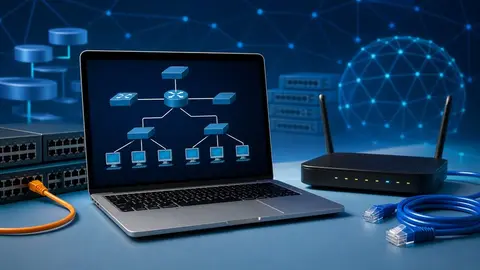
CCNA 200-301 in Marathi: Networking & Packet Tracer
Networking fundamentals, OSI and TCP/IP, IPv4/IPv6 and number conversions, network media, and guided Cisco Packet Tracer labs, all explained in simple Marathi.
- Core networking concepts used in CCNA and entry-level network support roles
- OSI and TCP/IP models with real communication examples
- Install Cisco Packet Tracer and configure device names, passwords, banners and IP addresses
- IPv4, IPv6, binary, decimal and hexadecimal conversions
- Copper, fiber and wireless media; encapsulation and PDUs
4.5 (3 ratings) on Udemy
29 lectures · 5h 45m · updated 10/2026
View on Udemy (opens in new tab)FAQ
Questions students ask
Which units are the most important for the exam?
Units III and IV (network layer) are the heaviest in content: IPv4/IPv6 addressing, subnetting and routing protocols such as RIP, OSPF and BGP. Make sure you can solve a subnetting question and compare distance-vector with link-state routing.
Is OSI or TCP/IP asked more?
Both. Expect to draw the OSI model, map it to the TCP/IP suite and state what each layer does. Her CCNA videos on protocols and encapsulation help here.
How do I practise routing without real routers?
Use GNS3 or Cisco Packet Tracer. Prof. Thorat's GNS3 tutorial shows how to connect two routers step by step, and the RIPv2 video configures a routing protocol on top.
Does CCNA preparation help with this subject?
Yes. Most of Units I, III and IV overlap with CCNA Network Fundamentals and IP Connectivity, so the CCNA in Marathi playlist doubles as revision.
Are videos available in Marathi?
Yes, there is a Computer Networks (Marathi) playlist alongside the SPPU-syllabus playlist in English.